(NEW)]** creates a vertical cross-section plot. You indicate whether this will be an _x_ or _y_ cross-section plot and what row or column to use as the base.
---
### Author:  [@lizadams](https://forum.cmascenter.org/u/lizadams)
#### Post date: [June 12, 2023, 1:58pm UTC](https://forum.cmascenter.org/t/verdi-cross-section-plot-in-script/4156/2 "2023-06-12T13:58:28Z")
Please try using the latest version of VERDI, version 2.1.4.
Please also use quotations for the inputs. I will fix this in the documentation.
-verticalCrossPlot “X” “3” \
This creates an X cross section plot for Column 3.
I am attaching an image that shows the comparison between selecting only Column 3 in a tile plot, and the corresponding vertical cross section plot.

---
### Author:  [@kkkghs0828](https://forum.cmascenter.org/u/kkkghs0828)
#### Post date: [June 14, 2023, 11:11pm UTC](https://forum.cmascenter.org/t/verdi-cross-section-plot-in-script/4156/3 "2023-06-14T23:11:14Z")
-verticalCrossPlot “Y” “3”
Is this command for Row?
---
### Author:  [@lizadams](https://forum.cmascenter.org/u/lizadams)
#### Post date: [June 15, 2023, 3:41pm UTC](https://forum.cmascenter.org/t/verdi-cross-section-plot-in-script/4156/4 "2023-06-15T15:41:17Z")
Yes, according to this syntax, to obtain a vertical cross section plot along the Y axis or row you would use:
-verticalCrossPlot “Y” “3”
I’ve modified the user documentation as follows:
**-verticalCrossPlot X|Y \**
---
### Author:  [@kkkghs0828](https://forum.cmascenter.org/u/kkkghs0828)
#### Post date: [June 25, 2023, 8:29pm UTC](https://forum.cmascenter.org/t/verdi-cross-section-plot-in-script/4156/5 "2023-06-25T20:29:21Z")
How can I use subdomain for corssplot?
**[-subDomain]** sets the VERDI domain matching the currently selected dataset to the bounding box specified by its arguments. The currently selected dataset is the most recently added dataset. It is often handy to type **-subdomain** commands into VERDI’s standard input if you are trying to select a very precise subdomain (such as that needed for a vertical cross-section plot).
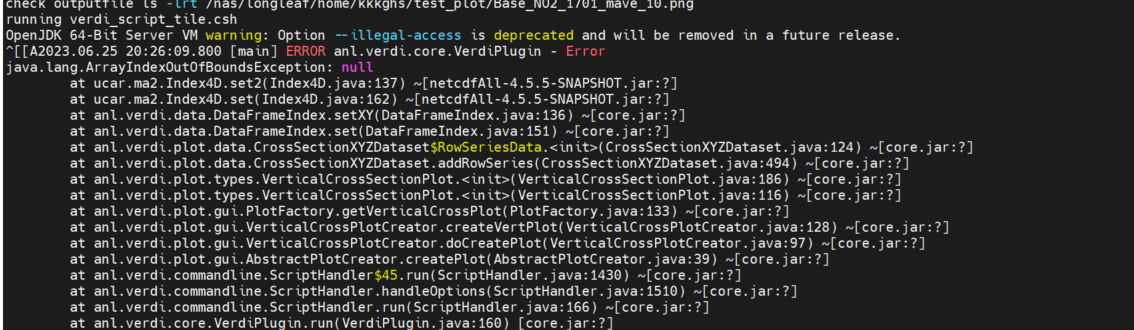
I tried to use with the same command that I used for tile plot.

It is not working with this error